Showing posts with label resources for students. Show all posts

Wednesday, June 5, 2019

Pride Month - Resources for Students, Families, and Educators

This June marks the 50th Anniversary of the Stonewall riots, the uprising at a gay bar in New York City's Greenwich Village, that marked the beginning of the gay rights movement in the U.S. Out of this event has grown the Pride Movement, encompassing a broad array of individuals; both Presidents Clinton and Obama issued Presidential Proclamations declaring the month of June to be Pride Month.

The Pride Movement has expanded over the years and now seeks to promote education, legal rights, acceptance, and self-fulfillment for individuals who identify as lesbian, gay, bisexual, transgender, queer, questioning, or gender non-conforming (LGBTQ).


Advocates for Children of New York has created an excellent LGBTQ Education Guide, setting out the rights of LGBTQ students in New York City Public Schools. The Guide is very detailed, giving specific contact information and covering such topics as bullying and harassment, transfers for safety and other reasons, the rights of students who do not live with their families, and how students can change their names. This is a valuable resource for students, parents, and educators.

Still another helpful resource is from our colleagues at The American Academy of Pediatrics, which has a Section on Lesbian, Gay, Bisexual, and Transgender Health and Wellness. In a section of the AAP website dedicated to Adolescent Sexual Health, there are links to excellent resources for physicians and other health providers and a link to a policy statement that includes ways to make medical care welcoming to all young people and for pediatricians to obtain and share needed information to help support LGBTQ young people (and parents) and to provide them with the care they need.

Wednesday, April 11, 2018

More Educational Games

Last week we shared some of the educational games we have included in the Resources section of our website. We know that some of the information on our site is tucked away in its "digital corners" and may not be obvious even to families who visit our site often. So we are shining a light on some of these excellent resources that we often recommend to the students and families we serve. Here are our suggestions for games, sites, and apps that build skills in math, language arts, and logic:

MATH

Game Classroom - kindergarten - grade 6
This site is arranged by grade and topic. Each option provides sample problems for students, teaching tips for adults, and links to online resources for more teaching tips. Instructional material is accompanied by complementary games. While many of the games on this site cover topics appropriate for upper elementary school-aged students, their formats are not as appealing as options for younger students.
Picture
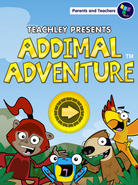
Addimal Adventure - kindergarten & 1st grade
Developed by researchers at Columbia, Addimal Adventure gives kids more than drill: it uses a research-based understanding of how brains develop numeracy to teach addition. This app helps kids build a solid base for higher math skills, and the graphics and storyline are top-notch.

Motion Math - preschool - 6th grade
This wonderful suite of games is based on the neuroscience behind learning numbers and developing number sense. There's something here for everyone, from Hungry Guppy (matching digits and amounts) to Zoom (place value and decimals). Kids can practice fractions, math facts, and estimation skills with Motion Math's games. We love them because they cleverly pair conceptual learning with drill to promote learning. 

Invasion of the Moon Monkeys - any age learning multiplication
Practice your facts, and save the world while you're at it! Download this fun, challenging app and prepare to be addicted.

Mathmateer - any age learning multiplication
Another good one for math fact practice. In the game, correct answers will earn players "money" with which to buy new parts for digital rockets they're building. This website, made by the same company, provides practice worksheets and other resources.

For more great math games, jump to our Math page.
LANGUAGE ARTS
Reading Decoding
Picture
StarFall - grades K - 3
This site is divided into four levels. Level 1 is dedicated to learning letter sounds, Level 2 covers the process of sounding out words, and by Level 4, kids can choose from plays, Greek myths, comics, and other genres to practice their reading skills.

Montessori Crosswords - kindergarten & grade 1
Learners are shown a picture and asked to drag letters from the alphabet into boxes to spell the word in this high-quality app.  They can hear each sound by tapping on it, reinforcing phonics skills.

Learn With Homer - ages 2 - 6
The Homer Method infuses the best research on how children learn to read with high quality, engaging art and storytelling. This innovative app is free, though users may wish to supplement material with in-app purchases.

Auditory Processing Practice
Picture
Earobics - pre-kindergarten - grade 3
This multi-sensory software delivers systematic instruction to help students develop phonemic awareness. It also provides resources for helping children learn phonics, develop fluency, build vocabulary, and practice comprehension skills.

Headline Clues -  grades 6 - 12
This is a great reading comprehension game that changes daily with the news. Students read a piece of a news story, then have to fill in the blanks in the partially written headline above to introduce the article.

Rain Words - grades 4 - 12
In this game, players use spelling knowledge to create a correctly aligned crossword puzzle. It’s a great option for improving spelling, critical thinking, and patience.
Other Areas
Picture
Spelling City  - all ages
Kids will love using this fun site to practice their spelling skills and build vocabulary. Students, or their parents or teachers, can enter customized lists, then use the site's flashcards and games to practice. When students have had enough drilling, they can take a test to see how well they remember what they've learned. One nice feature is the ability to view anyone's list, so busy parents can find one that's appropriate for their child easily if there's no time to create one. Access Spelling City on the computer or download the app, where you can create a free account to access pre-loaded lists of spelling words, or enter your own list to play with.

Picture
LOGIC GAMES AND BRAIN TEASERS

Samorost - grade 3 and up
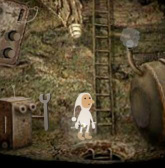
Players must help our hero Gnome navigate his way through a deliciously whimsical world to save his planet from an asteroid by solving a series of puzzles. Part of the puzzle, however, is figuring out what the puzzles are. Solved it? Check out Samorost 2, Machinarium, or some of Amanita Design’s other games. Although Samorost is free, some of Amanita’s other offerings require a fee.

Math.com - grades 3 and up
Play old favorites like Sudoku and Hi-Q, and less known gems like Hare and Hounds and TacTix.

Copy Cat - grades 3 and up
This is a wonderful game for building spatial skills. Players must use patterns on the faces of a spinning solid shape (like a cube) to replicate a picture.

The Set Game - grade 3 and up
In this challenging game, players must group images on digital cards together to form a set based on concepts like the shapes, number of shapes, and features of shapes. This is a great exercise for concept-building, and the website above provides a different challenge each day. Look for the original card game in toy stores, too!

Traffic Jam - grade 1 and up
This classic is now available online! Traffic Jam challenges players to plan several steps ahead as they work to free the red car from a traffic jam. It will take several well-planned moves to do it! This site shows the minimum number of moves required for solving the puzzle, so if kids figure it out in more moves than specified, ask them to try again with fewer moves. You can purchase the actual game from ThinkFun, too.

One Hundred Doors - (age depends; see below)
Available for iDevices and Android, this game is downright addictive. Players must figure out how to open the door in front of them using clues they see around them. The reward for opening a door? Another door, which is slightly harder open. Younger kids will be able to pass the first few levels easily but may become frustrated with the later levels, so it may be best to play with a parent or a friend. (Really stuck? Find videos explaining how to solve each level on YouTube by typing in the name of the game and the specific level.)

Links are provided for informational purposes only. Links do not indicate endorsement of any particular products or services. Some resources may not be appropriate for all learners. We urge you to carefully review any of the products, services, or tools linked to from these pages prior to allowing children to use them without adult supervision.


Wednesday, April 4, 2018

Educational Games

Our Yellin Center website is full of information on who we are, what we do, and how and why we do it. It is designed to let families and students know about our assessment process and what to expect while working with us. But it is also a terrific starting place for specific resources, such as educational games. 

Since our list of educational games is tucked away in a corner of our website, we thought it would be a good idea over the next few posts to shine a light on these resources. We hope you agree.

Picture
Free Rice
General Interest Education Games

Sheppard Software - preschool - grade 6
This site links to quizzes on lots of subjects, including geography, math, written conventions, science, and many more. Unlike other quiz sites, it features an instructional component, as well. Players may require an adult’s help to find appropriate games because there are so many options.

Gamequarium - grades 3 - 6
Find lots of great quizzes on language arts, math, science, and more.

Learning Games for Kids - grades 1- 6
Most of the quizzes on this site are fantastic, covering topics like language arts, math, and science. Also featured are several fun games to help students improve their typing speed and accuracy. Again, players may require an adult’s help to navigate through all the options to find appropriate games.

BBC Bitesize - grades 6 and up
Students can select quizzes on topics like English, science, and math. The graphics are fantastic, and the games, while quite challenging, are very engaging. Levels are designated using British terminology: Foundations is the most basic level, Intermediate is in the middle, and Higher is the most advanced option.

Free Rice - grades 3 and up
Originally only a vocabulary game, Free Rice now features multiple choice quizzes on many other topics such as literature, foreign language, math, and science. Players begin at a basic level, but as they answer questions correctly, the game gains in complexity.

Funbrain - grades 1 - 6
A collection of very appealing math and language games, plus opportunities to read favorite books online (like Diary of a Wimpy Kid) and to make Mad Libs! Note that while most of the site is very enriching, the “Playground” section, while entertaining, has little educational merit.

Arcademics - grades 1 - 6
Arcademics (arcade + academics) offers a number of fun games to help kids practice various math, reading, spelling skills. One of the best parts of this site is that many games offer chances for friendly competition by pitting players against others from around the web in real time. This design is motivating and discourages mindless clicking.

Links are provided for informational purposes only. Links do not indicate endorsement of any particular products or services. Some resources may not be appropriate for all learners. We urge you to carefully review any of the products, services, or tools linked to from these pages prior to allowing children to use them without adult supervision.


Friday, August 25, 2017

Congressional App Challenge for Student Coders

The news out of the federal government hasn't been too good this summer, but we have finally found something positive and promising to report. Registration is now open for the 2017 Congressional App Challenge, an effort to encourage kids to learn how to code, through annual district-wide competitions hosted by Members of Congress for their districts.


The Challenge began in 2014 with a pilot program in which more than 80 members of Congress participated. By 2015, the House appointed the Internet Education Foundation to be the program's non-governmental sponsor and numerous companies -- tech and otherwise -- are now involved. In its first two years, the program included nearly 4,000 students from 33 states. Over 1,150 apps were created -- over 30 percent of which were created by girls. The 2017 competition launched on July 26th and runs thorough November 1, 2017. This year more than 165 Members of Congress are participating. Each Congressional District selects a local winner; winners will be announced during Computer Science Education Week in early December. The competition has no age restrictions, except that students may not have yet graduated from high school. Entrants (or at least some of the members if entrants are part of a team) must be from the Congressional District to which they apply.

The App Challenge isn't just aimed at experienced coders. The website for the program offers resources that can help students who are new to coding to learn the necessary skills.   All District winners will have their apps displayed in the U.S. Capitol. Find out if your Representative is participating in the App Challenge.

Wednesday, May 31, 2017

Making the Most of Summer Vacation

Here in New York City, the school year runs until the end of June, but we know that in some places summer vacation has already begun. Whether your child’s school year is winding down or behind them, there are some steps you can take now to make the summer more productive and to set your child up for a smooth transition when the next school year begins.

New School? New Class?

For students who are starting a new school next fall, whether because they are moving up in their own community or whether your family is relocating over the summer, becoming familiar with the new school building will help diminish any anxiety your child is feeling as September approaches. Often, incoming students will have had a chance to visit their new school as part of a class trip, but additional walks around the grounds, tours of the building (if it is accessible over the summer), and exploration of the neighborhood around the school may all help your child feel at home in a new setting.

If your child will be taking the bus, or the subway, or walking to school for the first time or in a new place, practice can make the process easier and less stressful for parent and student alike.

Summer Assignments
We’ve all had the experience of receiving a reading list at the end of the school year, with instructions to read a certain number of books and perhaps write a report – all due in September. It’s a rare student who has the drive and organizational skills to actually plan their reading and writing on their own so that August doesn’t bring a flurry of activity and anxiety. Parents can help by having their child unpack their backpack as soon as school ends, retrieving reading lists, assignment sheets, and supply lists for the next year. Breaking summer assignments down into manageable steps – and making sure that each step gets done on schedule – will alleviate the last minute rush that can interfere with a leisurely end to the summer.

Keeping Skills Fresh
Kids don’t want to spend their summer working on academic skills. Unless a student is required to attend summer school for academic reasons, or because he has an IEP that includes extended school year services, the best approach to keeping skills fresh or building new skills might be to use technology and games to make learning seem like playing. We’ve got more than two dozen suggestions for games involving almost every subject, for a wide range of ages. Check out these and our other ideas, such as coding and robotics resources,  for fun ways your child can exercise their mind over summer break.

And keep in mind that not all skills are academic. Summer is a great time to learn chess, work on swimming, and visit new places. Have fun and happy learning!


Monday, April 17, 2017

A Clear Guide to Assistive Technology

Usually, when we write about a resource document, we carefully set forth what it says and offer guidance to the readers of our blog to help clarify and explain its content.

This isn't needed for the excellent guide from the ARISE Coalition (Action for Reform in Special Education) that provides detailed, clear information for parents about assistive technology (AT) devices and services;  students' AT rights; parent advocacy tips for acquiring AT; and resources for more AT information and special education support.


A quick look at the list of organizations and individuals that comprise the ARISE Coalition gives some sense of the substance behind this resource, but it also is so clearly written that it is a "must read" for any parent with a student in New York City public schools -- whether he or she receives special education services or not. The section describing different kinds of AT and what these devices can do can also be helpful for children who do not reach the threshold of having a disability, but may still benefit from AT.

Furthermore, although it is written for New York City parents and references the New York City Department of Education's Family Guide to Assistive Technology, the ARISE Coalition guide can provide helpful information to parents outside of NYC, especially in the "Additional Resources" section at the end.

Friday, January 6, 2017

News Literacy Project

There’s been a concerning juxtaposition emerging over the last few years. As adolescents and young adults increasingly turn to social media for news and information, there has been a concurrent rise in the creation and widespread distribution of fake news. Much of this fake news is, not surprisingly, spread through the intricate webs of social media, like Facebook and Twitter. Students are not, however, routinely taught how to fact-check what they see and determine what is real news and what is meant to “persuade, sell, mislead, or exploit.” 

Fake news has come a long way from those magazine ads that look like real articles but say “Advertisement” in tiny print on the top. Now, there are whole sites dedicated to producing and distributing fake news, and many of them have names modeled after legitimate publications. Have you ever heard of the Denver Post, a reputable local paper? What about the Denver Guardian – sneakily named but completely fake (it was recently shut down after the Post exposed it)? Do you think a fifteen-year-old could tell the difference?

A recent podcast on National Public Radio (NPR) tracked down one fake news mogul and found out some very interesting and surprising information about one of the biggest fake news distributors out there. Even though it may seem easy for some to see the red flags – the missing byline, the lack of sources, the single-outlet coverage – millions of students are currently lacking the skills they need to discern real from fake on an ever-expanding internet. And when that means that young adults show up armed at local pizzerias that happened to be the unfortunate target of a fake news virus, it’s time to think about integrating fact-checking into the K-12 curriculum.


The News Literacy Project (NLP), which partners with reputable sources like The Associated Press, Los Angeles Times, and NPR, is hoping to help students change course. NLP’s education programs, including its "checkology" virtual classroom, is helping teachers, administrators, and students learn more about the rise in fake news and how to spot it. A typical three-week literacy course includes interactive lessons with journalists, student projects, and teacher-led lessons based on NLP’s curriculum. NLP believes that “knowing the standards of quality journalism empowers students as consumers and creators.” The coursework covers print, broadcast, and online reporting. Students are taught how to search for credibility, analyze primary and secondary sources, think critically about incoming information, and seek out different points of view. In the age of the echo chamber, where we typically surround ourselves with news that fits our own values and beliefs, learning to seek out valid, reputable sources that disagree with our own ideas is increasingly crucial.

We think The News Literacy Project has the right idea in mind, but talking about credibility with children can start with one discussion at the breakfast table. Consider sharing an age-appropriate article you’re reading with your pancakes and see if you can challenge your family to brainstorm why the article was written, what it hopes to achieve, and who it includes as credible sources. Then practice finding the holes, and see if you and your family can fill those holes with other credible information. Learning how to integrate lots of sources to get the full picture is a useful skill not just for reading the news, but also for navigating the complicated social world of childhood and adolescence.


Friday, June 10, 2016

Time Management and Homework Resources

Earlier this spring, we looked at some of the extensive resources tucked away on our website, starting with a look at tech literacy. Today we explore our suggestions for ways to manage tasks, lists, and homework. Take a look and see if they help.

ENHANCING PRODUCTIVITY
Slife
Rescue Time, Freedom app, and Stay Focused
All four of these online productivity monitors allow users to track how much time they spend on certain websites and even block certain sites from themselves or during predesignated times.

Pomodoro
This free product (upgrades available) is the best of both worlds: a to-do list and a timer. Students can enter their tasks to keep track of their responsibilities, the use the timer to keep track of how long they should be working and when to take breaks. Pomodoro is both a desktop application and a smartphone app. Students who are easily distracted by their phones may want to use it only on their PCs; used in conjunction with Slife, Rescue Time, Freedom app, or Stay Focused (above) to block distractions, Pomodoro can help students stay focused and organized.

MANAGING LISTS AND REMINDERS
Wunderlist
This great app is excellent for those who want to coordinate to-do lists with other people. Wunderlist will send email reminders to members of a group and the group organizer can check to see which tasks have been completed. Group members can use an in-app chat feature to discuss tasks, too. This app, which is free for iOS and Android, is ideal for families or students and professionals who do lots of collaborative work.

Wunderlist

Any.Do
We love this simple, free app! Just type in things you need to remember and your smartphone will alert you when it's time to get things done. You can even attach notes, documents, videos, or images to items on your list. Any.Do works with almost all devices, both mobile and desktop.

Finish
This clever app allows users to create to-do lists and organize tasks by priority. It's simple, elegant, and effective. For iOS only.

Remember the Milk
Manage responsibilities and prearrange text or email reminders so they'll show up when you need them.

Make Custom Checklists
Easily create checklists for your child using this free resource. A checklist can help foster independence so kids can get through routines (getting ready to go to school in the morning or to bed at night, for example) without forgetting anything. 

MANAGING YOUR WORKLOAD
myHomework - free, or $4.99 per year without ads
This award-winning app allows students to stay on top of just about everything. Users can input classes, assignments, tests, and grades, and myHomework will send alerts and reminders and even help students to prioritize tasks. The streamlined layout keeps distractions to a minimum, too.


Here's a helpful tip: Making timelines can be a particularly helpful way to plan an evening of work or a multi-step project. Check out our model, then try making a timeline of your own.

Friday, May 20, 2016

EdSurge

Here at The Yellin Center, we share our professional insights for parents, teachers, and students through this blog. In addition, from time to time, your blogger shares ideas with fellow educators over at EdSurge. EdSurge is an online resource and community of edTech minded educators. It is a site that helps parents and teachers stay abreast of the latest research and news in the educational technology field. It also provides a collaborative platform for teachers and parents to share their insights and ideas on what works and what doesn’t when teaching 21st century learners.


We do a lot of app reviews here on the Yellin Center Blog, but there are still many areas under the ed Tech umbrella that we have yet to write about. So, if there is a topic you can’t find on our blog, please let us know and we will be happy to research your area of interest. If you have a burning question, the odds are many of our other readers do as well.

However, in the short term while you wait for our review, you could head over to the EdSurge Product Index to see if you can locate tools for your specific need. They have been developing a treasure trove of resources that are helpful for parents, teachers and students. EdSurge breaks down their resource lists into categories; there are tools for learning, teaching, school operations, and higher education needs. Within each category you can often limit the search parameters to age, tech requirements (e.g. iPad, iPhone, computer etc.) and cost. Reviews often provide a detailed overview, pricing, teaching methods/characteristic of the product, and videos or images. If you are looking for a specific resource or looking to compare differing tools, EdSurge has an Edtech Concierge service that can help you in your search. Throughout my career as a teacher and learning specialist, EdSurge has helped me locate and evaluate several exceptional tools to meet my students’ unique needs.

EdSurge provides a great collaborative space where you can ask questions and read reviews by real-world educators. It provides a platform to connect with other educators who are grappling with the same 21st century learning concerns. If you are looking to connect in a deeper way with the edTech community, EdSurge also shares professional development and learning events going on in several cities in North America. So, whether you are scouring their databases for a specific tool or using them to find a local learning event, EdSurge is always a great resource to help you connect to the diverse community of educational technology minded educators.

Wednesday, May 18, 2016

Gifted Kids

It’s not easy to be the parent of kid who struggles in school. But parents of gifted kids have difficult decisions to make, too. Some moms and dads with exceptionally talented children have limited financial means for lessons and activities. Others live in areas with scarce resources. Many worry about balance: how to nurture a child’s proclivities but maintain a “normal” childhood experience? Here are some ideas and resources that can help gifted children and teenagers pursue their passions and improve their knowledge and skill set:

General Enrichment

Look into community groups where there is no age limit, like an astronomy group or chess club. Gifted young people often enjoy discussing their interests with, and learning from, like-minded adults. There may be local lectures in your area, too, and authors often visit bookstores to discuss their work.

Talk to your child’s teacher about special projects in school that will allow your child to pursue her affinity. She might like to "check in" with her classmates once week by talking to the class for five minutes or so to share her progress and ask for their feedback. And she should be invited to set up a display or do a presentation for the class when she is finished. Teaching others is one of the best ways to learn.

Consider finding a tutor. Children who don't need remediation can still benefit from a knowledgeable instructor who can provide him with the extra challenge and stimulation he likely craves.

Podcasts like This American Life (a grab-bag of general culture, math, science, psychology, current events, and more), RadioLab (science), The Naked Scientists (science and medicine), The New Yorker Fiction podcast (the writing craft), Intelligence Squared (current events, policy, and ethics), Planet Money and Freakanomics (economics and statistics) are all (free) goldmines for curious young people. Since all of these podcasts were created with adult listeners in mind, parents may want to preview them first.

The Great Courses – Purchase high-quality lecture series by eminent experts in just about every field imaginable. Here is a sampling of titles: “The Inexplicable Universe,” “Understanding the Inventions that Changed the World,” “Latin 101,” “Lost Worlds of South America,” “Masters of War: Histories Greatest Strategic Thinkers,” “King Arthur: History and Legend,” “How to Look at and Understand Great Art,” and “Shakespeare: The Word and the Action.”

STEM - Science, Technology, Engineering, and Math

The Art of Problem Solving – This site contains numerous math resources for students in 6th-12th grades, including book recommendations, online courses, and even an online community so students can connect with other math-lovers around the world.

Math Forum – Users can access a new math problem each week, play KenKen, connect with other young mathematicians by joining the Virtual Math Team, and more.

Tech Literacy – Visit our dedicated resource page for information about opportunities to learn coding, tinker with robotics, and more.

Writing

Stone Soup – Contributions to this international English literary magazine come from young writers and artists between the ages of 8 to 13. The magazine features stories, poems, illustrations, art, and book reviews.

New Moon Girls - New Moon Girls is an online community and print magazine where girls create and share poetry, artwork, videos, and more; chat together; and learn.

Teen Ink – This organization offers a national teen magazine, book series, and website devoted entirely to teenage writing, art, photos and forums. Students must be between the ages of 13 and 19 to participate, register, and/or submit work.

The Young Idealist – Everyone who writes for and runs this quarterly journal is under the age of 21. Content in The Young Idealist aims to encourage the next generation of thinkers, policymakers, and leaders through the peer review and publication of political, social, and environmental ideas. Essays proposing positive change are critiqued and developed by an editorial board and an active readership.

The Concord Review – This periodical publishes the academic research papers of students in the secondary grades.

Performing and Visual Arts

Look for local performance opportunities. Community theater companies and musical performance groups are great places for kids to gain experience. Those not yet in high school might be able to volunteer to work behind the scenes in high school or college productions, giving them valuable experience about the world of theater. Try taking kids to open mic nights at venues that allow all ages; even those not yet ready to perform in public will learn from watching other performers.

Young Composers - Upload compositions of all genres for feedback from forum participants, or simply read and learn from reading discussion threads and listening to others’ work.

Composition Competitions – This compilation of competitions around the country may inspire young composers to develop and polish a piece they can enter.

Online Course: Photography for Kids - For serious young photographers, consider an online, project-based course from the online learning marketplace Udemy. The course, which consists of 20 video lectures, teaches kids the basics of photography and gets them thinking as they work through assignments. First-time Udemy users will pay only $24 for access to the series.

Photography Competitions – High school students may want to enter their own best shots in some of the competitions listed here, and they can learn a lot from looking at winning images, too.

Film Competitions – Those interested in film can submit their work to The All American High School Film Festival, and filmmakers seeking to spread a social message should investigate the Teen Truth competition. The National Film Festival for Talented Youth accepts both film and screenplay submissions.

One more quick, but important, note: Remember that even the brightest kids need time to be kids. Be sure that their after-school agenda is composed mostly of activities they've chosen, and give them plenty of free, unstructured time to spend letting their imaginations run wild.

Wednesday, February 24, 2016

Shakespeare’s First Folio to Tour the Country

2016 marks the 400th anniversary of William Shakespeare’s death. It’s impossible to quantify the impact of Shakespeare’s work on (primarily, but not solely) the English-speaking world. Shakespeare’s observations about human nature are timeless. His plots, which have mesmerized readers and audiences for centuries, still have the power to captivate. And it is estimated that he added 1,700 words (e.g. countless, laughable, grovel, dawn) and numerous everyday phrases (e.g. break the ice, it’s high time, for goodness sake, what’s done is done) to the English language.

In recognition of the significance of this year, Washington, DC’s Folger Library is sending one of its most prized artifacts on a tour through all 50 states: the 1623 First Folio. (Yes, that Folger. The library’s founder, Henry Clay Folger, was not only an enthusiastic collector of Shakespeare-related artifacts; he was also the nephew of J.A. Folger, founder of San Francisco-based Folger’s Coffee.)

As its name suggests, the First Folio is the earliest collection ever amassed of a number of Shakespeare’s plays. Assembled by Shakespeare’s friends and colleagues seven years after his death, it contains eighteen plays that, were it not for the folio, may never have been preserved, including Macbeth, The Tempest, and The Taming of the Shrew. Printing a folio was expensive, so few copies of the book were made and even fewer survive today.


This rare book may be viewed in New York City at the New York Historical Society  from June 7th through July 17th; to find out where else it will travel, use this interactive map. Can’t wait that long to see it in person? You can read a digital copy of the First Folio in its entirety while you wait. In addition, the Library’s website offers excellent resources for teachers and for parents and kids.

Those with an addiction* to Shakespeare because of his madcap*, zany* comedies; his monumental* histories; the remorseless* savagery* shown by some characters in his tragedies; and the overall radiance* of his words may consider it torture* to contain their excitement* as they await this ode* to the great man himself.


*word coined by Shakespeare

Wednesday, February 17, 2016

LitCharts Are Excellent Tools for Pre-Reading

At The Yellin Center, one of our favorite strategies is called “frontloading.” Useful for all students, frontloading is particularly good for those who struggle to identify the most important ideas in a lecture, lesson, or text. The principle is very simple: Students prepare themselves for learning with a preview of the lesson, concept, or reading. Examples include watching a Khan Academy video; a short introduction from an instructor; or a walk-through of a textbook chapter, focusing on the headings, captions, and images, before reading the whole thing. We find that students who frontload are more prepared to learn because they can more easily identify the most important information.

Literature can be difficult to frontload, however. Unlike textbooks, novels don’t have headings, diagrams, and images that can be previewed. Luckily, though, students who struggle with reading comprehension can prepare themselves to take on literature in a number of ways. One is to watch a movie version of the book* if one exists (keeping in mind that these versions often differ from the original book). Another is to use summaries like CliffsNotes or SparkNotes. For students who struggle with reading, though, these summaries can seem intimidating because they take the form of long blocks of text. So the original editors of SparkNotes have created a thoughtful, innovative, and free resource called LitCharts.


LitCharts provides resources for getting the most out of more than 250 plays, novels, and short stories, ranging from contemporary works like A Long Way Gone and The Fault in Our Stars to classics like Henry V and The Great Gatsby. The site (and its accompanying, free app) is interactive, so students can choose the format and content that will help them most. The “front page” for each book is called the Chart Board, which provides a visual representation of the whole book. Themes in each chapter are represented by color-coded rectangles, and by hovering over one of them the user can read a relevant, thematic summary snippet from that part of the book.


Its visual presentation is probably the best feature of LitCharts, but all of the other good stuff we’ve come to expect from literature companion sites is there, too: background information about the author and the story; a plot overview; and analysis of key characters, themes, symbols, and quotes. There is even information about how to cite LitCharts if a student references it in an essay. We also like the chart available for each book, which, once downloaded, presents key information about the author, context, and plot all in one document for easy reference.

LitCharts is not a substitute for the rich experience of reading a wonderful piece of literature, but it can help make that experience both more pleasant and more valuable to students who need support.


*Lots of parents and teachers may bristle at this idea, and we can understand why. A large part of the joy of reading is turning the pages in breathless anticipation of what will happen next. Many people feel that previewing a book in such a way “gives away” the story. For typically developing readers, we agree; we’d much rather read a book first, too! However, for students who struggle mightily with decoding, comprehension, or attention, advance knowledge of how the plot will unfold can actually help them build important reading skills.

Friday, February 5, 2016

Chrome Accessibility Extensions

Often, when searching for student-centered solutions for learning differences, we are quick to look at tools and programs specially designed for diverse learners. We forget that many of the everyday tools we use have been designed for accessibility in mind. This is true Universal Design, where one tool can be used by all, regardless of their limitations. Microsoft has a wealth of accessibility features across their products. Similarly, Google’s Chrome has several extensions to make web browsing accessible to those with reading and writing challenges. Most of the add-ons and extensions are free, making them a cost efficient alternative to some of the pricey third party resources. 


Reading and Writing Extensions

The Chrome extension Readability removes visual clutter from web pages, making them easier to read. Reducing visual noise will benefit students with attention, visual processing, and reading difficulties. If Chrome isn’t your browser of choice, readability has expanded its product line to include apps and add-ons for Firefox and Safari. The High Contrast extension allows you to alter the coloring of your webpage with several high contrast filters, making the text easier to read. 

The Zoom add-on will make reading easier by allowing you to magnify the webpage. Another great tool is the SpeakIt extension, which converts text into speech, reading the passage using a synthesized voice. ChromeVox is a screen reader designed for the visually impaired. For writing, Voice Search allows users to use voice commands to search Google and locate information online. Voicenote II is a simple and functional digital notepad that will allow you to take notes using your voice rather than typing. 

A Suite of Accessibility Features

Google has put together a suite of accessible features in their Read&Write for Google Chrome extension. This collection of tools was designed specifically to aid students with print disabilities and English language learners. Using this add-on, students can hear words, passages, or entire documents read aloud, and even hear the text translated into a different language. There is also speech-to-text capability with this extension. When typing online or in a Google Doc, integrated word suggestions will pop up, helping facilitate the writing process. Students are also able to highlight portions of the text or make voice notes. You are able to try Read&Write for free with a 30-day trial; after the trial period you can keep a free basic subscription or upgrade to the premium paid version. However, teachers are eligible for a free premium subscription. To register and activate your subscription, go to rw.texthelp.com/freeforteachers after installing the Read&Write for Google Chrome trial. 


Checking Accessibility

Online accessibility is important whether you are a consumer or creator of web content. If you are ever concerned about the accessibility of a web page, you can use the WAVE Chrome extension to evaluate web content for accessibility issues. WAVE can provide visual feedback about the accessibility of traditional websites, as well as personal sites, intranet pages and password protected sites. It is important to note that no data is sent back to the WAVE developers and all analysis is done within the web browser to ensure secure, private evaluations.

Wednesday, January 20, 2016

Low-Tech Assistive Technology

According to the Individuals with Disabilities Education Act, Assistive Technology (AT) is any “item, piece of equipment, or product system, whether acquired commercially off the shelf, modified, or customized, that is used to increase, maintain, or improve the functional capabilities of a child with a disability.” AT resources can be implemented to increase function in all areas of one’s life, including school, work,  home and in the community. Here at The Yellin Center, we evaluate students’ needs and provide strategies to amplify their abilities across all of these settings-not just school.

However, in our 21st century learning environments there is a common misconception that assistive tech is predominantly digital. Although there are a wealth of complex, innovative high-tech tools, assistive technology includes a range of low-tech resources as well. For example, in the late 80’s Sam Farber, the founder of OXO Good Grips kitchen tools, noticed that due to his wife’s arthritis she was having trouble using her peeler to skin potatoes. He decided to research and design a set of ergonomically-designed kitchen tools that anyone could use regardless of functional ability. Today OXO tools are sold in every major department store, and aren’t only used by people with physical limitations. Mr. Farber redesigned a common tool in such a way that anyone can use it; that is a true example of Universal Design.

Similar to how Mr. Farber made the kitchen accessible, there are a variety of low-tech tools designed to help make academic tasks accessible. For writing, alternative pencils such as the Twist and Write, or pencil grips, like Abilitations Egg Ohs or AbiliGrip, can greatly improve the writing process for students with fine and graphomotor challenges.

Abilitations Egg Ohs

Students with similar motor challenges may also benefit from using slant boards or raised lined paper, which is a modified version of traditional lined paper. Augmented paper can also be useful in math. Math Notes paper uses a raised, grid format to help students properly align their work, thus avoiding calculation errors. Tools are also available to assist students with the reading process. If a child has trouble tracking lines due to vision or attention challenges they may benefit from tools such as the Blue Trakker Reading Guide or a See-N-Read.
 
See-N-Read
Alternatively, enlarging the print of a book or using magnifying bar such as the Carson MagniBar can also aid students in the reading process.

Low-Tech tools also help students participate in non-academic tasks as well. For example, a student may not have the hand strength to work traditional scissors, but there are a variety of self-opening models for students to use. Students with gross motor challenges may struggle to raise their hand to respond to a question. Instead, they could use a simple buzzer on their desk. Communication can be facilitated using a pictorial system such as the Flip n’ Talk, which helps students convey their needs without having to use words. AT can also help students with self-regulation and attention challenges. Some students may require fidget toys, or special seats, such as the Sissle SITFIT, to allow them to quietly move without distracting themselves or their peers. Alternatively students may find it helpful to roll their feet quietly on a foot roller, or that a weighted lap pad helps calm them.

So, although edTech is a growing industry, not every accommodation needs to be complex or expensive. Sometimes, like the OXO peeler, it is the simple resources are merely a modification of a traditional tool that can make all the difference. The empowering nature of low-tech strategies is that they can often be used by every student, not just those with learning differences.

Monday, November 30, 2015

Using Infographics in the Classroom

One of the major principals of Universal Design for Learning is multiple means of expression. The underlying idea of this mandate is that students should be allowed to express their learning in multiple ways, particularly through their personal areas of strength. Traditional classroom environments rely heavily on students demonstrating their learning through written expression in the form of papers, oral communication during presentations, or test taking skills. However, there are a variety of ways for students to showcase their learning. For example, a student could draw a picture, create a photo essay, or devise a song. One new medium that media outlets and businesses have been using to synthesize, display, and share information is infographics. Doug Newsom and Jim Haynes (2004) define an infographic as “a graphic visual representation of information, data or knowledge intended to present information quickly and clearly”.


With infographics becoming popular, there are now a variety of child-friendly tools that enable students to create their own visually pleasing, graphic representations of their learning. The following tools are a few of the resources available for creating infographics:

Easel.ly


Easel.ly describes itself as “a website that features thousands of free infographic templates and design objects which users can customize to create and share their visual ideas online.” The big merit of Easel.ly is that it is incredibly user friendly. The website allows students to drag and drop images and input their own text and information to create robust visual representations of the concepts they are learning in class. Don’t just take our word for it. Easel.ly also received the Best Websites for Teaching and Learning Award in 2013 from the American Association of School Librarians (AASL) - and it's free!

Infogr.am


Infogr.am allows students to input information and data into the site and then organize it into a visual, infographic, or chart. This tool would be especially useful in mathematics classrooms during a unit on data analysis and graphing. Infogr.am is a subscription-based tool. However, its reach extends beyond the classrooms as it also has the capacity to be used by teachers and administrators for professional development purposes or reporting student performance data. 

 
Piktochart


Piktochart has the potential to be more complex than the aforementioned tools, as the scope of this program extends well beyond classroom usage. Piktochart was created as a way for non-graphic designers to build high quality, engaging infographics.  As a result, a teacher may elect to use this resource only with older grades or tech savvy students. Although more intricate, Piktochart is still incredibly user friendly. Students are able to create high quality infographics and presentations using a variety of templates and embedded high-res images.


References
Doug Newsom and Jim Haynes (2004). Public Relations Writing: Form and Style. p.236.

Tuesday, November 3, 2015

Math Apps for Building Spatial and Reasoning Skills

We recently took a look at spelling apps, recommending those that we think do the best job of providing critical orthographic skills while being fun and engaging. Today, we turn our attention to math apps we think are worth investigating.

Carstens Studios designs, creates and illustrates dynamic learning applications for young children. Daren Carstens, the owner of Carstens Studios, shares that his goal for each app is to inspire the love of math in children by giving them a new way to conceptualize mathematical concepts. Math requires spatial and sequential understanding, as well as a great deal of reasoning and logical thinking skill. 

There are an abundance of tools for building foundational numeracy and sequential skills. However, it can often be a challenge to find dynamic ways to build a child’s spatial understanding or reasoning skill. Carstens Studios offers a variety of fun, engaging tools that help students build their spatial understanding of math while encouraging reasoning and problem solving. We have detailed some favorite apps below that would add value to any math curriculum.


In the introduction to this app, Mr. Carsten shares that when he was in school, math just looked like squiggles to him, leaving his mind to wander and him to doodle on the edge of his notebook. He soon realized that there were places for doodles in math, and that doodling helped him better understand the mathematical concepts. Building on this notion, each game in the Math Doodles app gives players choices for displaying the numbers in different ways (as words, Roman numerals, currency, etc.). Furthermore, each math puzzle encourages students to experiment while developing and strengthening their strategy and problem solving skills. Math Doodles builds a wide range of critical math skills, including building basic mathematical and number sense, as well as teaching basic operations, time, money and geometric concepts.


It is true that math is more than numbers. It takes more to master math than merely mastering numeracy skills. Mr. Carstens states that, “The key to understanding math is understanding patterns.” Therefore, the Attributes app is comprised of a series of seven games, designed to challenge kids' mathematical thought processes through tables, patterns, and the concepts of attributes. The games help late-elementary children develop the abstract reasoning skills required in higher-level math. By playing the Attributes games, students will build their understanding of pattern sequences, Venn diagrams, logic, and classification.


Symmetry Shuffle 

As we have mentioned, spatial reasoning is an important element of mathematics, especially in geometry. The mathematical puzzle Symmetry Shuffle,allows students to explore line and rotational symmetry while developing their spatial sense. Through the game student will build her understanding of slides, flips and rotations of two-dimensional shapes, as well as the concepts of congruence, similarity and symmetry.


We can’t go into detail on every resource, but Carstens Studios has other apps that are also worth noting. So, if you are looking to provide students with extra addition and subtraction practice, check out Unknown Square, Sum Stacker or Connect Sums. Each of the apps has received numerous accolades and awards. But their biggest achievement is that they truly make math learning fun.